
Copisteria Universale: How We Design User-Centered Software
This case study is interesting not only for the Design Thinking approach we used, but also for a curious thing that happened to our client and changed how they saw investing in software design.
This case study is interesting not only for the Design Thinking approach we used, but also for a curious thing that happened to our client and changed how they saw investing in software design.


Before we start, a quick note: Cantiere Creativo has been experimenting for years with iterative methodologies (Lean UX and Design Thinking in particular) that rely heavily on interviews and usability tests with the target users (along with many other aspects that would take too long to cover here).
Let’s walk through our case study.
The client
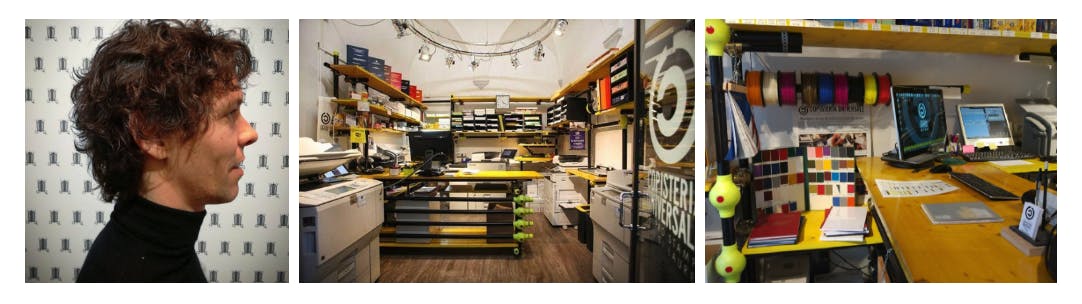
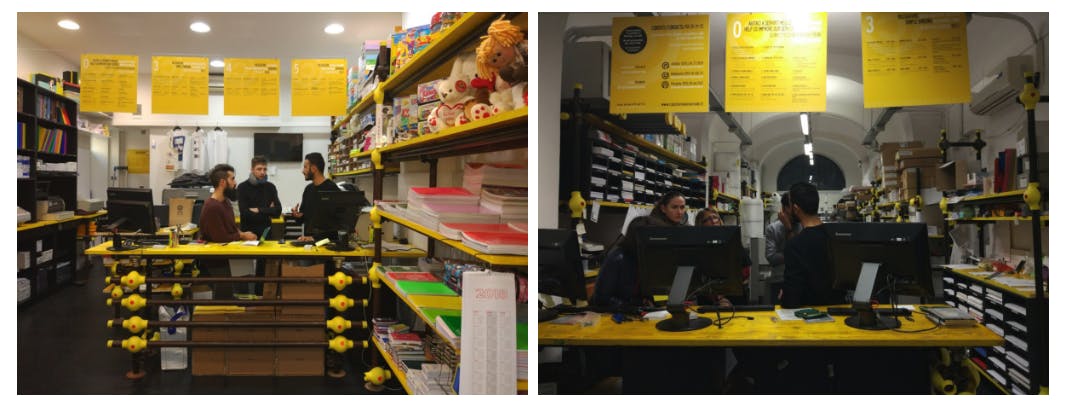
Since 1997, Sascha has owned a chain of five well-known print shops in Florence that handle simple printing (theses, books, etc.) as well as complex jobs (posters, Forex prints, etc.). We’re talking about Copisteria Universale.

Our team
Featuring:

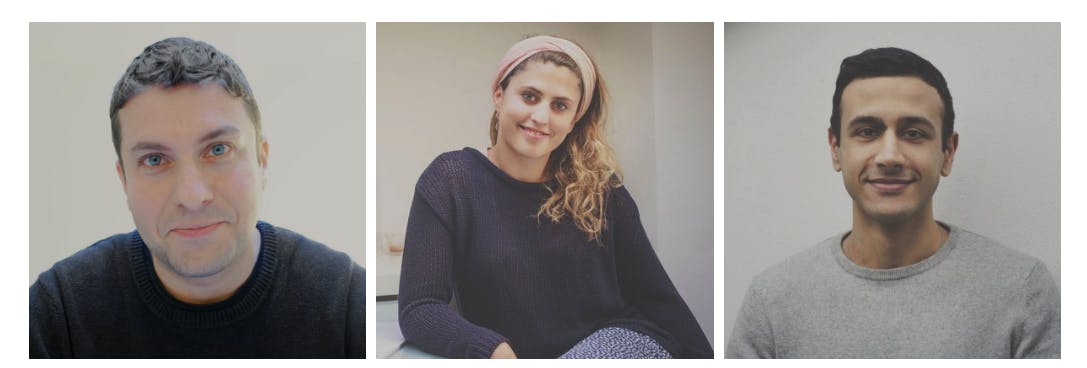
A small team compared with most of our projects, but not small in results. Let’s take a look.
The project
In May 2017, Sascha knocked on Cantiere’s door wanting to develop software to achieve the following goals:
- Improve the performance of the staff
- Give Copisteria Universale a more tech-savvy and innovative image.
The idea
In short, the idea behind the platform was to take every order coming into the print shop (including attachments, customer details, job specifications, etc.) and pass it via a monitor to whoever would carry out the work backstage.
But… there was a problem
When our CTO, Joe Yates, and I looked at the idea as described above, we immediately had a doubt:
Isn’t this a bit too big for a first version of the software?
Although Joe and I were well versed in Agile and Lean, our client Sascha was not (yet)… but would be soon. What’s more, without exaggerating, it’s fair to say that Sascha would soon become one of the best clients we have at Cantiere Creativo, having fully embraced the user-centered approach.
🤯 The “hard way” effect
The “hard way” effect means building the client’s idea as is, to show with hard facts some critical issues the client didn’t previously consider that important.
Our attempts to explain the Agile and Lean approach, which means starting with small versions of the product, getting feedback from users as quickly as possible and then basing development choices on that feedback, hadn’t had much effect.
At first we’re all deeply convinced of our own ideas. It’s only human.
🔥 A little secret: at Cantiere Creativo we segment our clients by their maturity on Lean and Agile topics.
Starting with a prototype
With that in mind, I spent a week building an interactive prototype that represented Sascha’s idea in detail.
Usability testing
With this prototype I ran fifteen tests across the five print shops, first analyzing the current workflow and then measuring a few parameters with the new workflow (that is, with the software).
Results
Two main ones:
- The software slowed down the current workflow six times over:
Timing a typical scenario with the current (mostly paper-based) workflow, completing every task took 20 seconds, while with the platform it took well over 2 minutes. - The software was useful in only a few cases:
Out of the many types of jobs and customers that come into Copisteria Universale, the software covered only 20% of cases.
Let’s go Agile
If you read those last two points carefully, the results speak for themselves.
After this experience, Sascha’s transformation took hold right away. Now aware of how important a test-based process is, Sascha decided to “rewind the tape” and start over with software designed entirely with a user-centered methodology.
How do you start from scratch?
Sascha:
OK Amir, tell me where to start.
Amir:
Well, with interviews, of course.
Iteration 1: interviews
Without any questionnaire in hand, I went to the five locations to interview a total of 15 employees, with the following goals:
- List the pain points
- Create a Flow Map of the current workflow
- Get a feel for the workplace and the employees’ mood
- Show employees an idea of the platform and ask whether they had any ideas
- Any other business
When you start designing software around users, you don’t need big techniques or revolutionary exercises: empathy and listening are enough.
Empathy is in fact one of the foundations of Design Thinking.
Results of the first interviews
- Employees are very happy and report no particular pain points
- They see digitizing the workflow as an interesting plus
- Some are worried about changes to the workflow
Iteration 2: simulated prototype
Based on the questionnaire and the Flow Map (and without losing sight of our goals), we asked ourselves:
What’s the fastest thing we can do to test a first part of the software and see if it works?
So we ran a Design Studio workshop with the client and a colleague. A Design Studio workshop is a creative session in which everyone generates solution ideas together and then combines them. The workshop produces a set of paper sketches that the UX Designer then turns into a prototype.
Here is the prototype we created after the session, simulating the various tasks. A simulation, then, not yet a working prototype:
Let’s test it
As always, I went to the five locations to run usability tests with fifteen employees.
The test went very well because this first version had been partly designed together with the employees. During the previous round of interviews I had shown some sketches of the first version, so the employees already knew the idea and had even helped shape it.
Iteration 3: real prototype
Without any more simulated rounds, we decided to move on to the real prototype, with visual design in line with Copisteria Universale’s brand.
Here is Juana’s first design proposal:

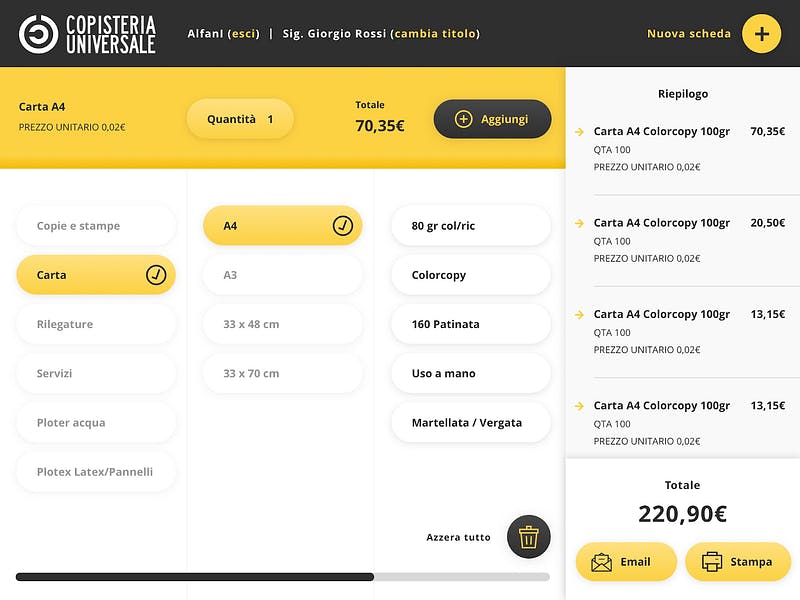
And here comes Lorenzo with the first version of the developed prototype:
Test sessions
From here on, we ran tests every two weeks, making small development changes based on what we observed during the usability tests.
Iteration 4: Debugging + on-site installation + notebook
Between December 2017 and January 2018 we went through an intensive round of debugging the small details, refining every feature and every visual element.
🎉 Finally, on January 9, 2018, Lorenzo and I visited each location to give a short presentation of the software (which every employee knew inside out by then) and to explain details such as how to log in.

The notebook
We asked every employee to keep a notebook to jot down any obstacles or observations about working with the software day to day.
Iteration 5: notebook results + evolution
Exactly three weeks later, I went to the five locations to interview each employee about what they had written in their notebooks.
After gathering the key insights, we held a meeting with Lorenzo and Sascha to prioritize the most important tasks, which we consider part of what we call evolutionary maintenance.
Evolutionary maintenance
This is simply optimizing the software based on ongoing feedback from users as they “live” with it. Over time, we will plan the software releases based on continuous usability testing.
Where things stand today
Today, July 9, 2019, two years after the project started, we are still working on new and ever more exciting releases of the Copisteria Universale software.
Benefits of the approach
Here are some of the positive effects of the approach:
- Employees felt listened to
- Employees didn’t experience an overnight change in workflow, but a gradual adjustment
- The two previous points led to a very positive opinion of the platform
- Sascha has grown enormously as a tech entrepreneur
- The budget spent was one third of what was planned for the original idea
Thanks for reading!


