

The 5 biggest differences between WordPress and a headless CMS for developers
Moving from WordPress to a headless CMS can feel like a leap into the unknown, especially for developers. Switching from a monolithic architecture to the world of microservices can seem so radical it makes your head spin, yet the benefits are countless.Since I started working with DatoCMS only a few months ago, leaving behind good old WordPress, my “fresh” perspective may help you figure out whether a headless CMS is right for your needs.


What is a headless CMS?
Put simply, a headless CMS is a content management system (Content Management Software) that isn’t tied to a specific front-end, the "head", but instead consists of one or more APIs, plus the back-end technology needed to store and deliver content. A headless CMS focuses solely on managing content, providing an admin back-end to create, organize and publish it. All of its content is then accessible via API, without going through a specific presentation layer.
Complete flexibility
The most obvious difference, clear to me from the very first lines of code, is that DatoCMS, like all the best pure headless CMSs, lets you create custom rules for the relationships between posts, categories, page templates and everything else you need to build a website. With WordPress, on the other hand, we’re forced to follow a rigid relationship scheme between the various elements and have to juggle countless settings in the back-end. With DatoCMS, when we start a project the back-end is empty and it’s up to us to populate it in a few clicks, so we can build a fully ad hoc one with simple drag and drop and by adding entries.
Less is more
Test after test, page template after template, you realize how important the cleanliness of DatoCMS is: its back-end and the models we build. In the WordPress world it’s practically impossible not to use plugins, but every plugin we install means files and lines of code the server has to digest, and we have to watch out for conflicts that can cause bugs, which certainly slow down page loading and make the website more vulnerable.With DatoCMS and headless CMSs, we don’t get lost in back-end settings, plugin installations and the like, and that’s a major plus, especially for our clients, who are unlikely to get lost among countless back-end options, as is easy to do in WordPress.
Headless CMS, PageSpeed’s best friend
Any front-end developer worthy of the name can’t skip testing a website in the various tools that measure page load time. How frustrating is it to build a slow website? You may look for ways to optimize it to the max, only to realize there’s nothing more to do and that hitting certain scores is pure utopia. However, a website built with DatoCMS is generally faster than a traditional solution, all else being equal. Headless CMSs tend to use an out-of-the-box CDN to serve data and images to users, delivering response times under 20 ms. In addition, a website built on a modern architecture only needs to load the code that runs the front-end, and it can be optimized for speed more easily. With DatoCMS, response times and load times are remarkably low, with overall performance well above average. I can assure you that seeing high scores is hugely satisfying.


SEO-friendly
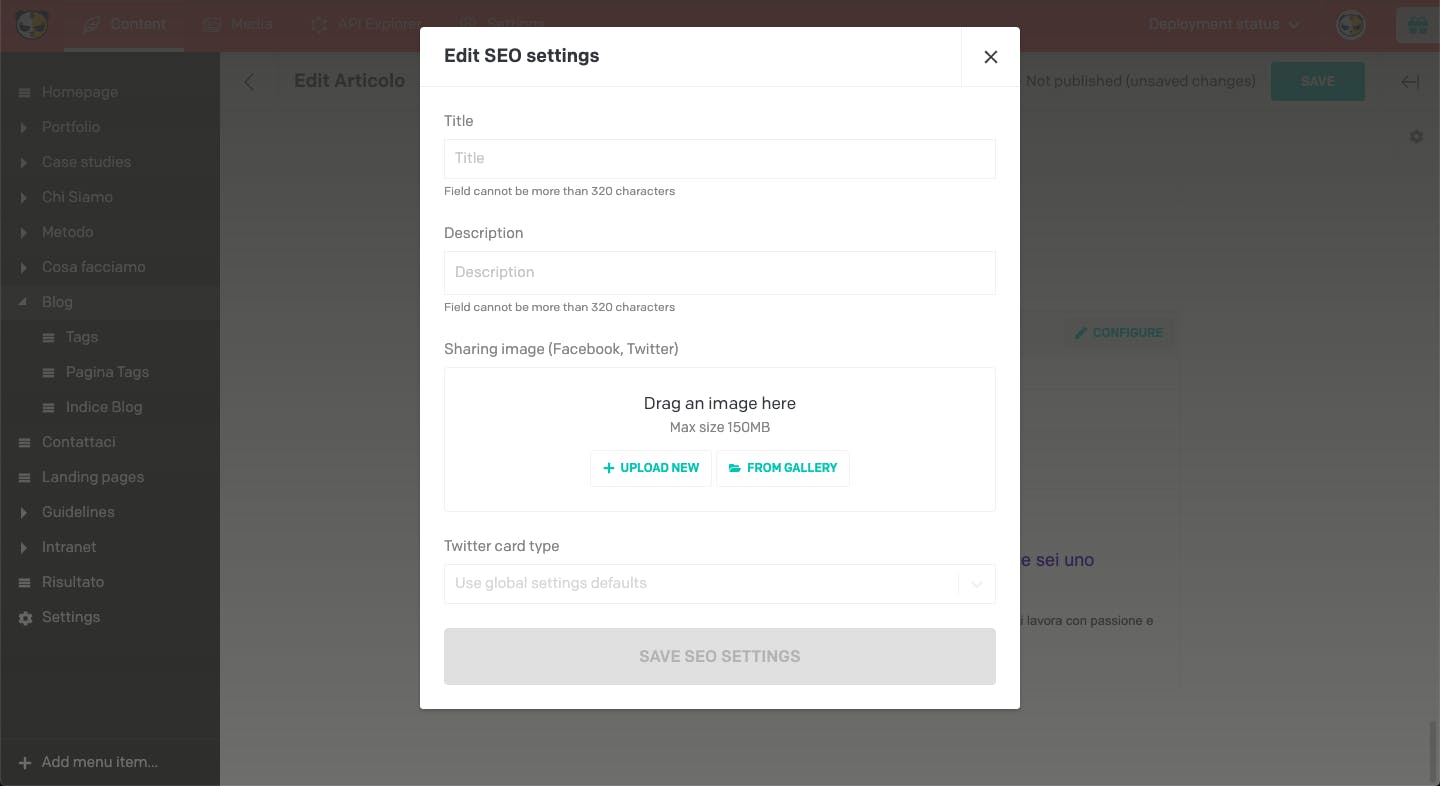
Great mobile speed isn’t the only thing that helps SEO: headless CMSs designed for full editorial experiences, like DatoCMS, also pay close attention to optimizing content for search engines. Anyone who uses WordPress has surely come across the Yoast SEO plugin at least once, and maybe even tried the paid version. With DatoCMS you can easily manage the page title, the description and the settings for sharing on social networks (Twitter, Facebook, LinkedIn) just by filling in simple, easily configurable text fields, with a real-time preview of the Open Graph result and Twitter cards.

Easy language management
Another important difference between the two CMSs that I really appreciated is language management: with WordPress you can hardly translate pages without a plugin, while in DatoCMS the ability to translate the website into as many languages as we want is built in. What’s more, we can simply choose whether or not to translate a word, a string, a block of text or images. It saves an incredible amount of time and makes managing multilingual content smarter.
Security and database
Another key aspect is security. WordPress is the most widely used CMS, but it’s also the one most exposed to malicious attacks. There are certainly hosting solutions and paid plugins that significantly strengthen a website’s security, but they don’t always solve the problem.SaaS headless CMSs like DatoCMS take care of all content security. Plus, you never need to work directly with the database, since you work with data through API calls.
Wrapping up
In conclusion, I’m glad I discovered DatoCMS and started working with it. WordPress is better suited than DatoCMS if you’re not a front-end developer, that is, if you need to publish a website of just a few pages with a ready-made template; but for true professionals, DatoCMS has top-level potential, and it’s impossible not to recognize it. Essentially, DatoCMS adapts to what the developer wants, not the other way around, which makes it a tool rather than an obstacle. I’m firmly convinced that DatoCMS saves time and money in website development while still delivering optimal performance that other CMSs can’t match, with near-zero vulnerability.


