

Why We Won't Use Slack and Will Stick with Flowdock
Keeping an eye on the startup world is part of our job, and it would be odd to ignore the Slack phenomenon. Even before its boom, we were using (and dreaming about) Flowdock, and not a month goes by without some collaborator, friend or startup type asking us the fateful question: why don't you use Slack?


Until recently, the answer was easy: no threads, no Slack!. Then, after two years of pure mythology on the subject, the official announcement of this feature arrived, and everything changed: people trying it out, migration requests tripled... it seemed that D-Day had come to leave good old Flowdock behind. In one of the many posts on the subject, I read:
The Unexpected Design Challenge Behind Slack’s New Threaded Conversations: for years, Slack has known that people wanted discussions to appear in clusters. It just wanted to do it right rather than do it quickly. (Fast Company)
Well, if what we see today is the result, they might as well have built these threads quickly! Usability is really poor compared to what we're used to. Flowdock's groupings may be a mystery to newcomers, but once you've figured out the one click it takes, you're all set: simple, fast, useful, used constantly every day. Using threads on Slack is, for me, a bit like solving a Rubik's Cube: I start, complete the first face, I'm about to finish the second, meanwhile I've lost the logic I was building on, I abandon the first color and everything goes to hell!

Disappointed, I decided to wait for a possible redesign. Without my main excuse, I had to keep firmly fending off the hipster attacks of people trying to talk me into a full migration. Then, a few weeks ago, something happened that unsettled me: after ages of inactivity from the Flowdock developers, an outright scandalous update came out: despite thousands of user requests for some important features, CA proudly released a logo restyle, tweaked the background colors and completely ignored the age-old requests. An affront to many, which led me for the first time to post a complaint on their forum (something I had never done in my life) and to seriously doubt this tool.

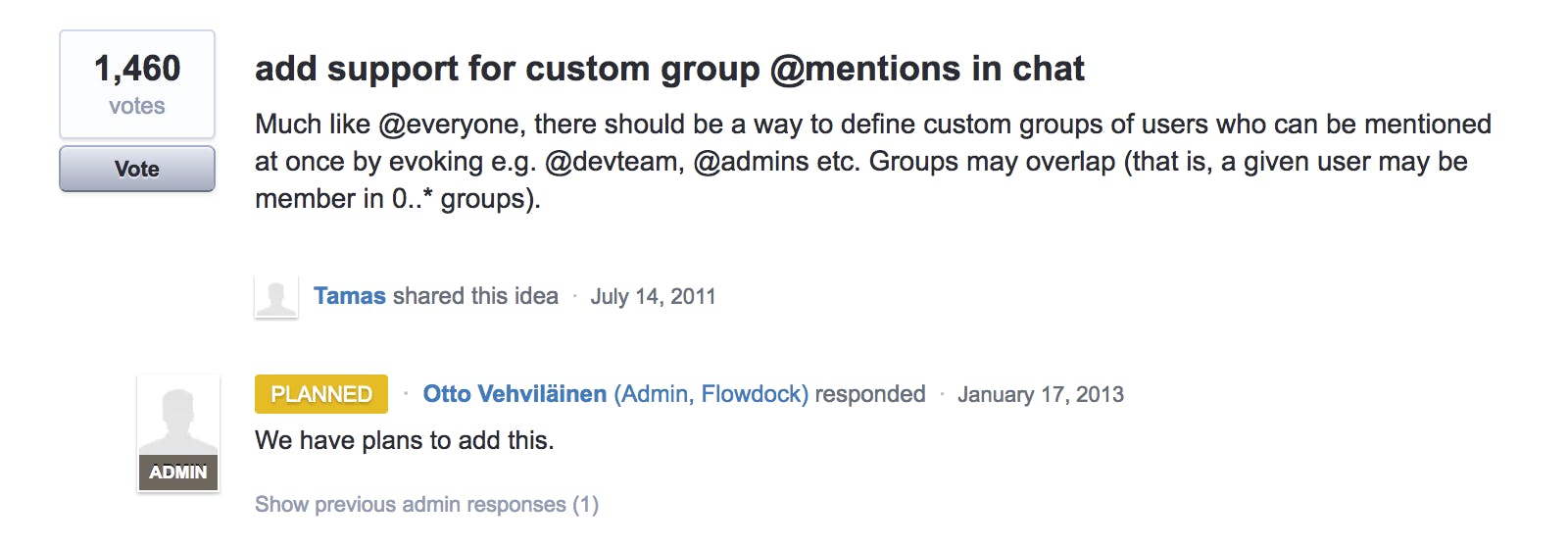
1460 requests from 2011, planned on 2013... still waiting...
Could it be that Slack's moment has come?
Doubt creeps into your brain like a woodworm, invisible and impertinent; you don't quite notice what's happening, and it only takes a moment to lose control... a trivial input from yet another person urging you to switch to Slack because everyone in London uses it, pointing out the killer feature, exactly the one you need right then, and you find yourself saying: That's it! Come on, we're migrating!
Maybe, before getting carried away, it was worth running a test, taking a few notes, trying to understand the real differences, and so on. That's how this post was born, even though I don't know anyone else in Italy who uses Flowdock. For once, I'll be the alternative evangelist! :)
I became convinced that going on gut feeling because of a nagging doubt was not a good idea. So I put together a comparison table to see what I use on one side and what the other offers. Here's the table just as it came out:
FLOWDOCKSLACKFREE PLANUser limit5unlimitedSearch historyunlimitedmax 10,000 itemsIntegrationsunlimitedmax 10Native app√√1-to-1 chat√√Group chat-√Text search in 1-to-1 chats-√File storageunlimitedmax 5 GBAudio call-√Video call-√Paid integrations-√Threads√√Google Apps OAuth√-Threads in private chats-√Integrations and threads separate from the main flow√-Writing to “yourself” as a draft board-√PAID PLANScreen share-√Unlimited integrations√√Unlimited search√√Guest access-√Google OAuth√√Storage limitunlimited10 GBCustom profile-√Custom notification groups (e.g. @devs @designers)-√Advanced search with from, in, has, after date, before date fields, etc.-√Search filters-√
Well, from this point of view, Slack wins hands down!
First steps
I jumped right in and created the Cantiere organization, trying to clone the structure of our flows in Slack. But the tangle of login logic, which differs across the organizations I belonged to, immediately made me doubt my doubt!
The initial disorientation was total: what is this channel #general? How do I delete it? Or at least rename it? Nope, you can't... you can create 600 more, but this one stays as it is. And the same goes for the channel #random! Why on earth don't you want them? Fine, I don't like them, but I can live with them... Can I at least reorder channels or hide the ones I'm not interested in? Of course not, you ungrateful pain in the neck!
I created some private channels, a habit picked up on Flowdock; it lets us invite clients without giving them access to our internal rooms. But then I discover that my favorite channels (#general and #random) automatically include every invited user, with no choice. That means everyone can see everyone through those channels. But wait: after some digging, I find out that Slack lets you create guest users who only see the channel they're invited to. See, Slack is cool! These folks know what they're doing, I just have to figure out how things work!
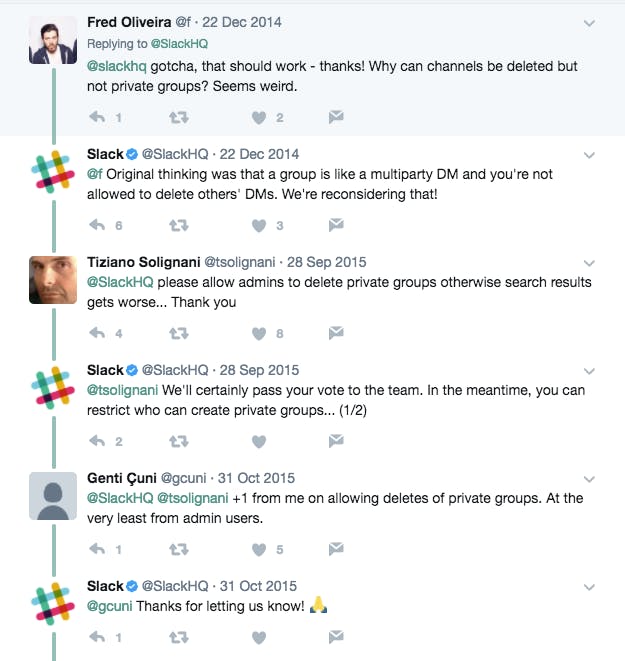
At this point I have to retrace my steps and convert the private channels into public ones... poor fool, lots of people have been asking for it for at least 4 years, and it seems like a good idea worth considering... but we won't do it. So I read up on the most popular trick: rename the private channel, create a new one with the old name and ta-daaaa! Here's the public channel you wanted!. Too bad that in the meantime all the history, integrations and setups are lost, while the useless old channel — now renamed to some --OLD or other — stays there forever with no way to delete it.

Third-party app integrations
We use integrations a lot: Pivotal Tracker, Trello, Email per channel, Git, Rollbar, Gitlab, Bitbucket. So I immediately went looking for these apps. I don't feel the need for other integrations, but on Slack I might discover wonderful new worlds, even paid ones.
After a Machiavellian interplanetary tour of screens, permissions and setup, I integrate Trello. Hey, wait a minute: it doesn't show me what I do on my boards... why? What did I do wrong? Aaah, I get it! I can create cards from inside the chat! Super cool... I create two right away, then set a label.

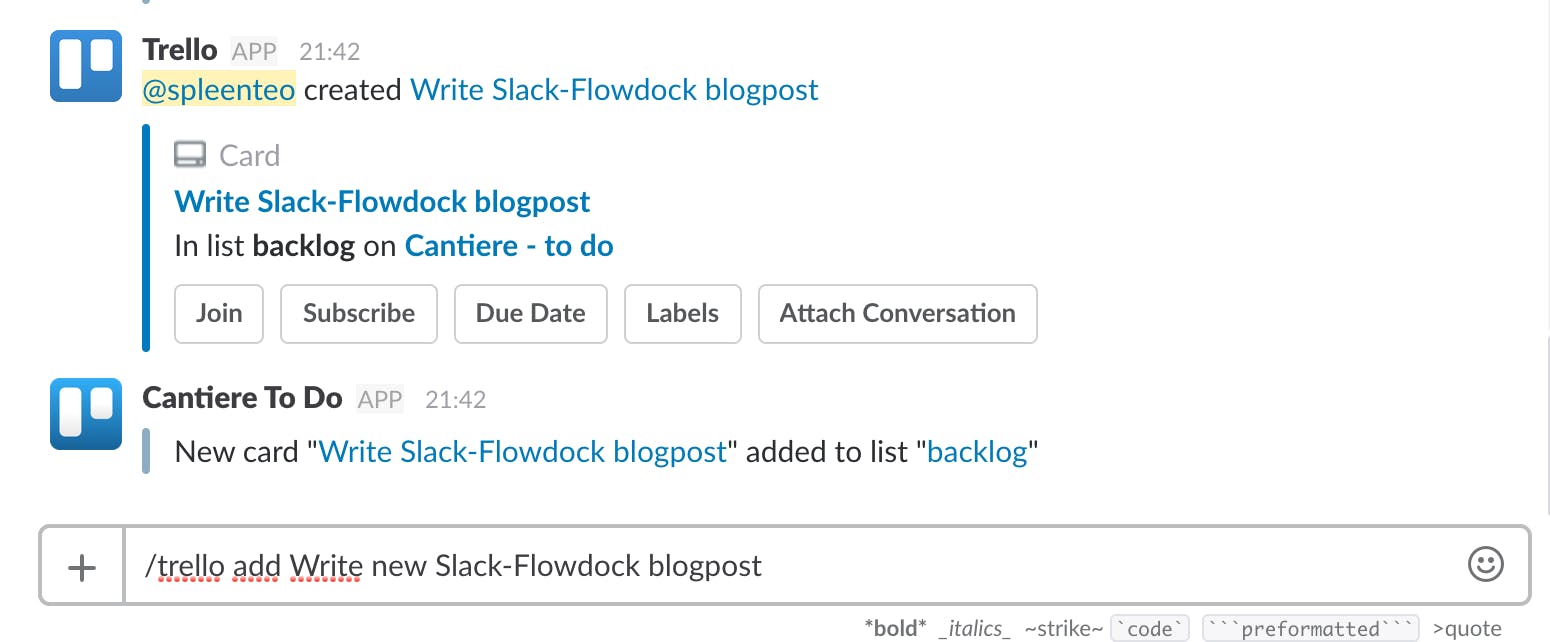
This is the big difference: while on Flowdock integrations are just a stream of notifications, in Slack we have actual interactions. And then? I have to open Trello to move the card to the right place and to see cards in full.
I don't want to use Trello inside Slack. I want to use Trello, period. If something happens on Trello, I want a notification in the chat, simply because I don't read email notifications and chat is handier!
But where I can only set up a plain stream, it shows up in the main area of the channel, unlike Flowdock, which puts notifications in the sidebar. A horrible noise in the middle of human conversations. It was one of the reasons I ditched HipChat many years ago. Slack users recommend creating a channel dedicated to notifications; if you barely keep up with them in the sidebar, I wouldn't be caught dead in a channel dedicated to Pivotal story movements! At that point I'd just go to Pivotal!

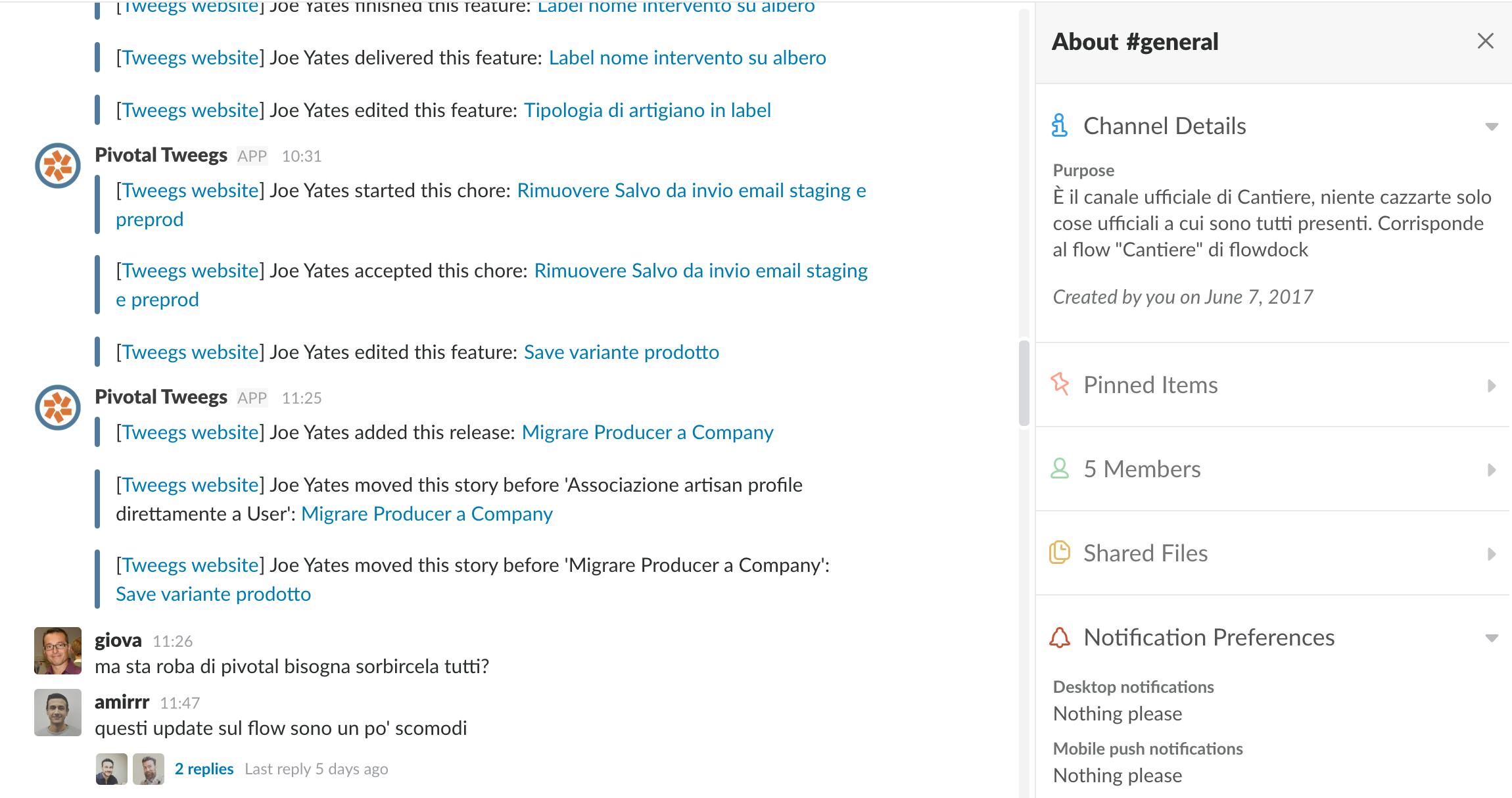
Why have an empty sidebar and so much noise in the middle?
Plus, Flowdock lets you start a discussion (in a thread!) about a notification pushed into the sidebar by an app, or about an interesting RSS/email update; it's damn useful when you need it.

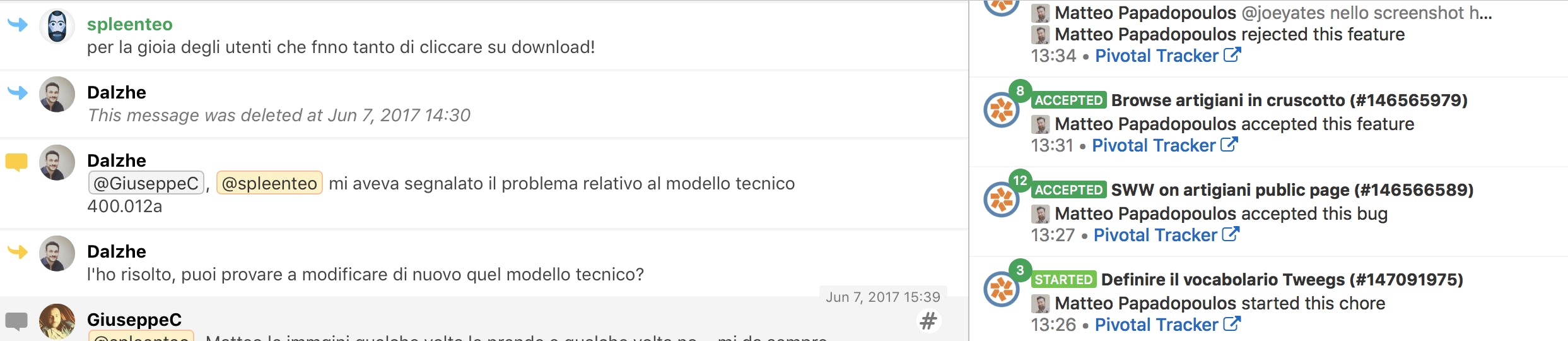
On Flowdock, notifications and chat run on two parallel, independent tracks
Costs
At Cantiere, our Flowdock has a lineup of 35 more or less active users, counting collaborators, clients and suppliers. This generates a monthly bill of €93 (€1116/year). For the same team, at €7.50 per user per month, Slack would raise our monthly spend to €270 (€3240/year). A 290% increase that, regardless of the total, which may well be sustainable, needs to be justified.
To be fair, Slack claims to run daily checks on user activity and to discount the cost of inactive users for a certain period, returning the amount as credit for the following month. We would certainly save something, but there's no way to calculate it in advance.
I also found out that many third-party integrations, perhaps the most interesting ones, add their own monthly per-user cost. I didn't factor this into this evaluation.
Some say "forget it and use the free plan, it has unlimited users".
So what are the deal-breaking limits of a free plan?
- Search history. You'll use it three times a year, but those three times it really saves you.
- Screenhero is the reason I considered migrating, and it's only available on paid plans, so I need it.
- No guest users.
- The too-short search history and the GBs of file storage are significant limits.
What about Flowdock?
It gets criticized for its look & feel, but I've gotten used to it and don't find it that terrible. Despite the unappealing UI, the UX is far better than Slack's. It has huge gaps in terms of features, and I struggle to understand why CA shows so little interest:
- Search in 1-to-1 chats
- A decent mobile app
- Advanced search, by user or date range
- The ability to group @mentions, i.e. defining custom groups like @devs and adding people to them, without notifying the rest of the team
- An @here to notify only the users currently online
Then there are minor gaps, things Slack does that would be fun to have:

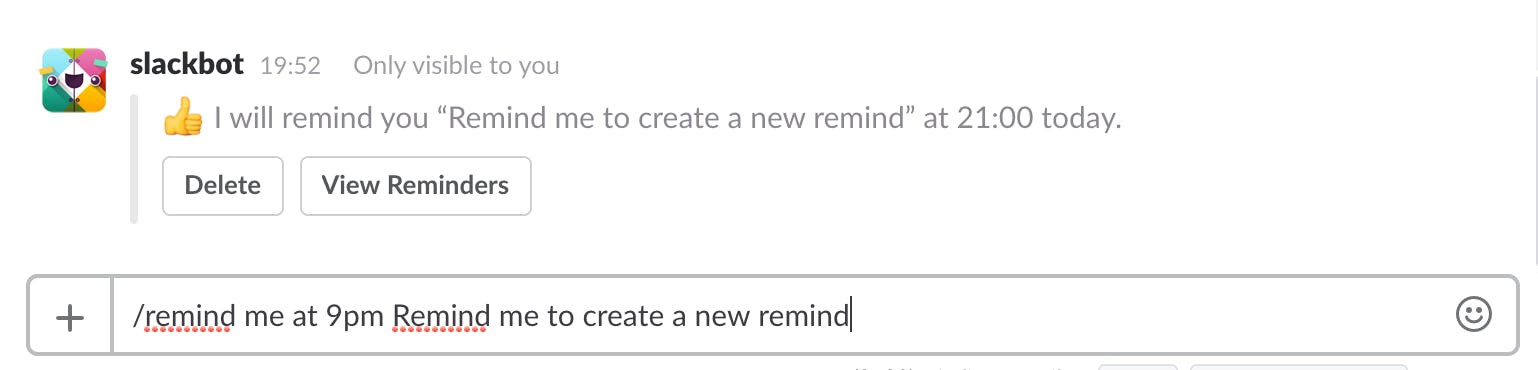


Reminders during the day, useful for yourself and others


Stackable emoji reactions, effectively real polls

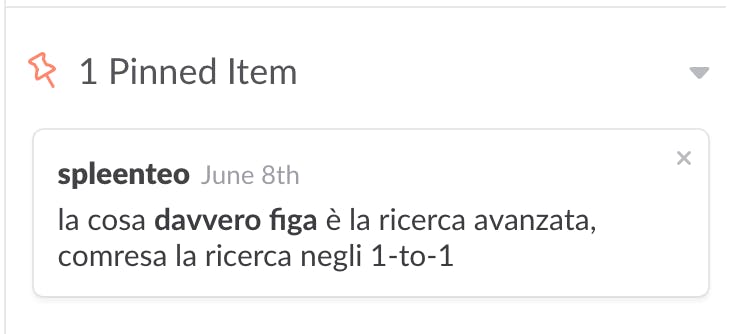
The ability to star important messages and keep them highlighted in the channel
In short
Slack is great for very large communities that talk about general topics, need lots of channels and lots of users, and want to stay free. I'm trying it with some associations, conferences and communities. But I don't find it suitable for an environment where communication that serves productivity is the priority, like an agency or a startup.
Flowdock is 90% useful for productivity, but it lacks the 10% of niceties that would make it perfect. Slack is super cool for that 10% of niceties, but it lacks a lot to be useful for productivity, which is 90% of what a tool like this is used for.
For all these reasons, at least for now, we won't migrate to Slack. Not that this will particularly interest anyone, but it might offer one more pointer when choosing a chat platform, which is, in any case, worth having in almost any context.
One question remains unresolved, as far as I'm concerned, and it came up forcefully before and during this study: why do these products, with a significant active market, giants behind them and huge amounts of funding, keep turning a deaf ear on the development side, investing in customer care for years and replying "great idea, we'll do it!" to thousands of requests and users?


