

Showcase your products in a cutting-edge digital showcase
In recent years, “brochure websites” have become a hot topic, with strong and conflicting opinions. Showcasing your products on a website is certainly useful, but users expect far more than a basic static page. That’s why you need a true digital showcase.
Beyond display, interaction, search, description and presentation are the building blocks of a digital catalog that leaves your customers in awe. The goal, however, isn’t just to impress: it’s just as crucial to design systems that anyone can navigate, on any device.
In recent years, “brochure websites” have become a hot topic, with strong and conflicting opinions. Showcasing your products on a website is certainly useful, but users expect far more than a basic static page. That’s why you need a true digital showcase.
Beyond display, interaction, search, description and presentation are the building blocks of a digital catalog that leaves your customers in awe. The goal, however, isn’t just to impress: it’s just as crucial to design systems that anyone can navigate, on any device.



In this article, you’ll learn what a digital library is, the benefits of making your products and services visible and explorable on a well-designed website, and how to build a successful web showcase.
What is a digital showcase?
A digital showcase, also called a digital catalog or digital library, is a web page that features all the products or services a business offers. It can also focus on a single piece of software or digital product, presenting all its features and distinctive traits.
In other words, it’s the online equivalent of a physical shop window. Just as a shop window displays products attractively to catch the eye of passersby, a digital showcase must present products on a website in a way that is effective and usable for online visitors. After all, a beautiful website can also be usable. That doesn’t mean reducing the experience to a simple brochure website which, just like its real-world counterpart, presents products statically.
On the contrary, a web showcase offers all the advantages of the digital world, such as search, data filtering, additional information in multiple languages and sometimes even the option to buy directly. This makes an online showcase an essential tool for presenting your products in a unique, highly personalized way, engaging your target audience and reaching a wide range of customers worldwide.
The benefits of displaying your products in a digital catalog
Now that you know what a digital showcase is and why its approach differs from a limited brochure website, let’s look at the benefits of this way of presenting products online.
Specifically, a digital catalog offers these advantages:
- Greater visibility for your services and products: Unlike a shop window, a website can reach a broad, diverse audience with no geographic limits. An SEO-oriented digital library can even generate thousands of daily views from users all over the world, thanks to a prominent position in search engines.
- Easier updates that anyone can make: Updating a physical catalog takes time and effort. Likewise, updating a brochure website requires involving the web agency that built it, implementing the requested changes and going through a feedback round to reach the desired result. A digital showcase, instead, relies on an advanced content management tool that lets any user, even without technical skills, add, edit, remove and reorder the products on display.
- Data collection and analysis for marketing: A digital library doesn’t just present products online; it also offers a high level of interaction. This opens the door to collecting useful data, such as the products users click most, the most used filters, the most searched keywords, the time spent browsing the digital catalog and much more. All of this is essential for designing targeted marketing campaigns and sales strategies.
- Extensive customization: Digital showcases are ideal for any online business that wants to stand out and elevate its brand, because they are custom-built to give visitors a unique, high-quality and highly accessible experience.
- Integration with other online systems and services: A website with such advanced product search and filtering can’t be static. On the contrary, it runs on a modern technology engine that integrates with other systems, such as analytics, sales and customer support services. This leads to a composable architecture and, why not, even a composable ecommerce.
How to build a successful digital library
A simple WordPress template may not be enough to set up a cutting-edge digital library that fully satisfies your users.
Building an advanced, attractive system that is also easy to use takes customization grounded in design, usability and web development best practices. Learn more in this section!
Free-text search and/or filters
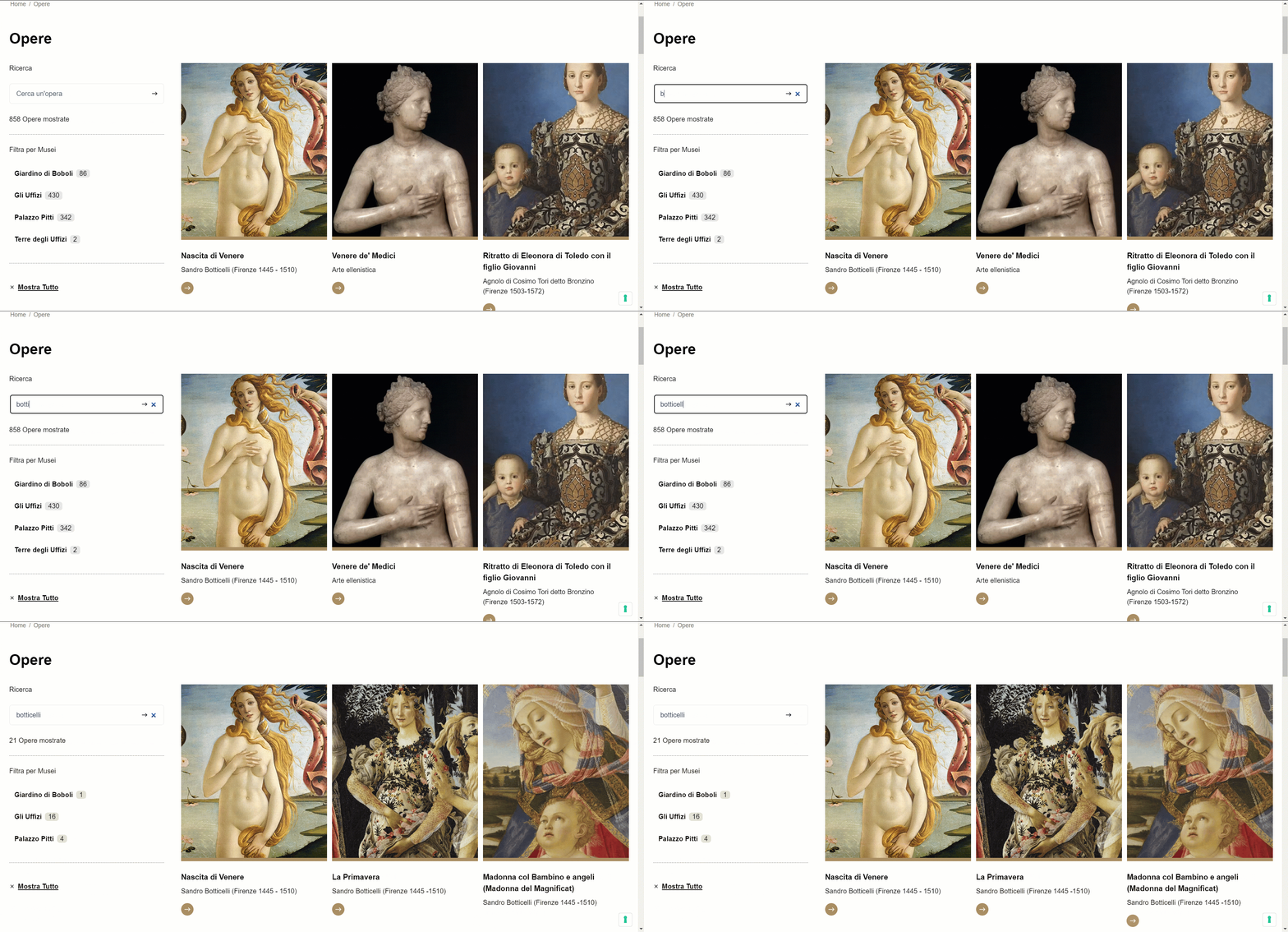
One of the most important features of a high-quality digital showcase is the ability to apply filters and see only the items of interest. Of course, this principle shouldn’t be applied blindly: a simple, intuitive user experience is always better than a needlessly complex system. But when you’re dealing with a very large or varied range of products and/or services, or there are logical categories to classify them, letting visitors search and set filters makes everything easier.
Take the works of a museum complex, for example. Here, free-text search and filtering by museum let users explore the works on display digitally, also making it easier to plan a visit.

Content management with an advanced CMS
Products are the heart of a shop window. In exactly the same way, a digital catalog is all the more compelling when products are presented attractively, with high-quality descriptions, images and videos.
The real engine of a digital library is therefore the CMS, the software used to manage content online. To build a showcase that lives up to users’ expectations, we recommend adopting a headless CMS, which makes content management simple, without the limitations and restrictions of traditional CMSs such as WordPress.
In general, a technology stack based on Jamstack and MACH is the ideal approach for building an efficient, highly customizable digital showcase managed through a state-of-the-art CMS.
Focus on interactivity, exploration and user experience
While interacting with a shop window comes down to a quick glance, the digital world opens up richer, more satisfying experiences. It’s also essential to make sure everyone can enjoy this experience, which means giving great importance to accessibility. That’s why a digital library must be much more than a static brochure website: it should aim to offer unprecedented freedom of interaction and exploration.
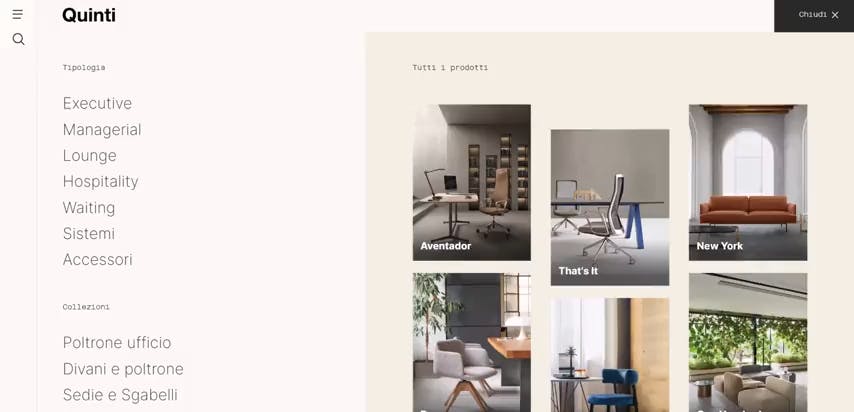
Since every brand has different goals, customization and tailored web design also come into play to meet the needs of a general or niche audience. A design company, for instance, can only have a stylish, refined showcase, with bold shapes and a harmonious color palette.

How Cantiere Creativo builds a digital showcase
The best way to build a web showcase that delivers the expected benefits and follows the principles above is to work with a digital partner with years of experience in design and web development, like Cantiere Creativo.
It’s no coincidence that organizations ranging from luxury brands to public administration, from museums to conferences, have chosen Cantiere Creativo to build their website with a digital catalog.
Here are some projects featuring a modern digital showcase designed around the visitor.
Gallerie degli Uffizi

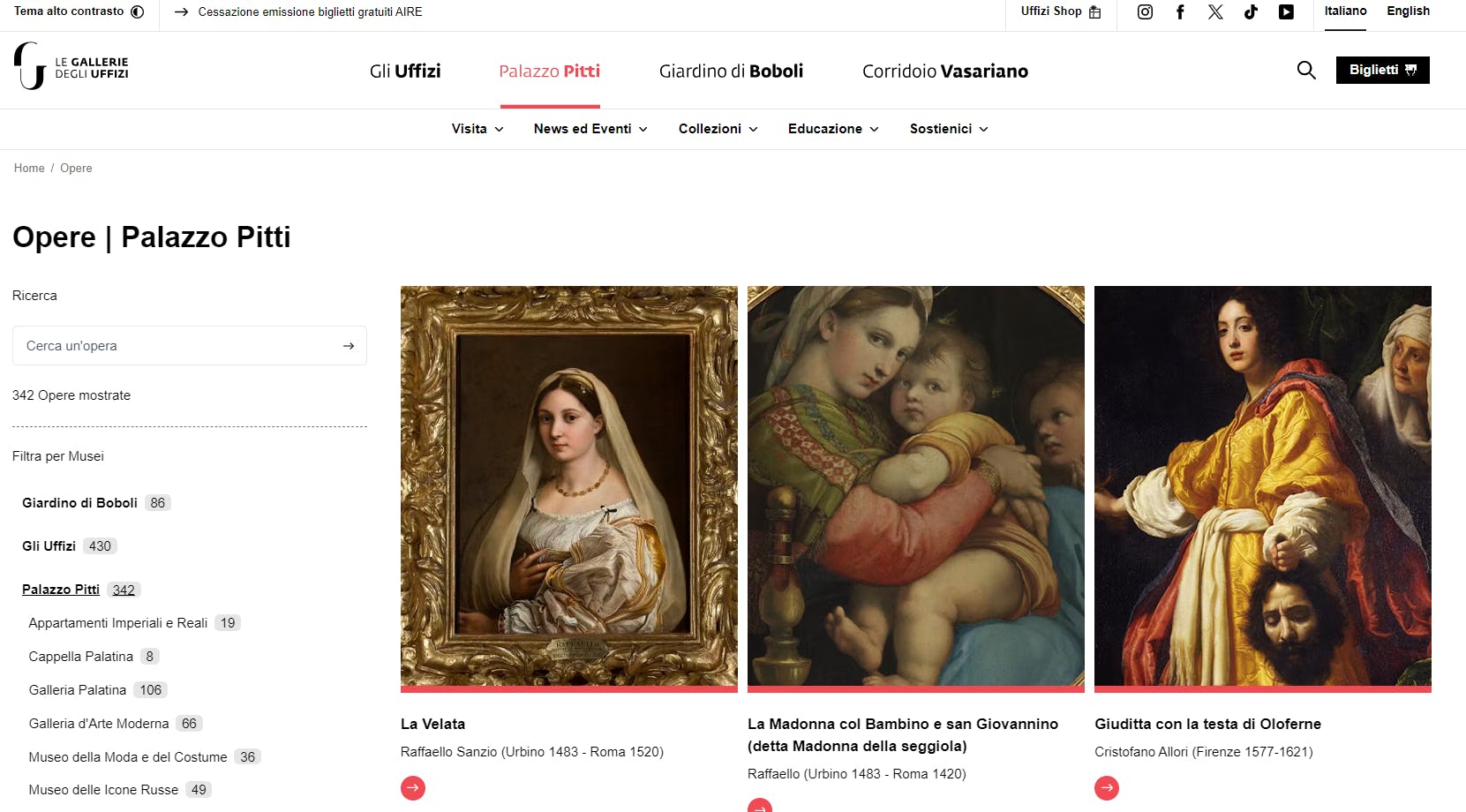
A usable, visually striking website for one of the most visited museums in the world and the most important in Italy, giving the magnificent works on display the prominence they deserve.
Learn more:
Quinti

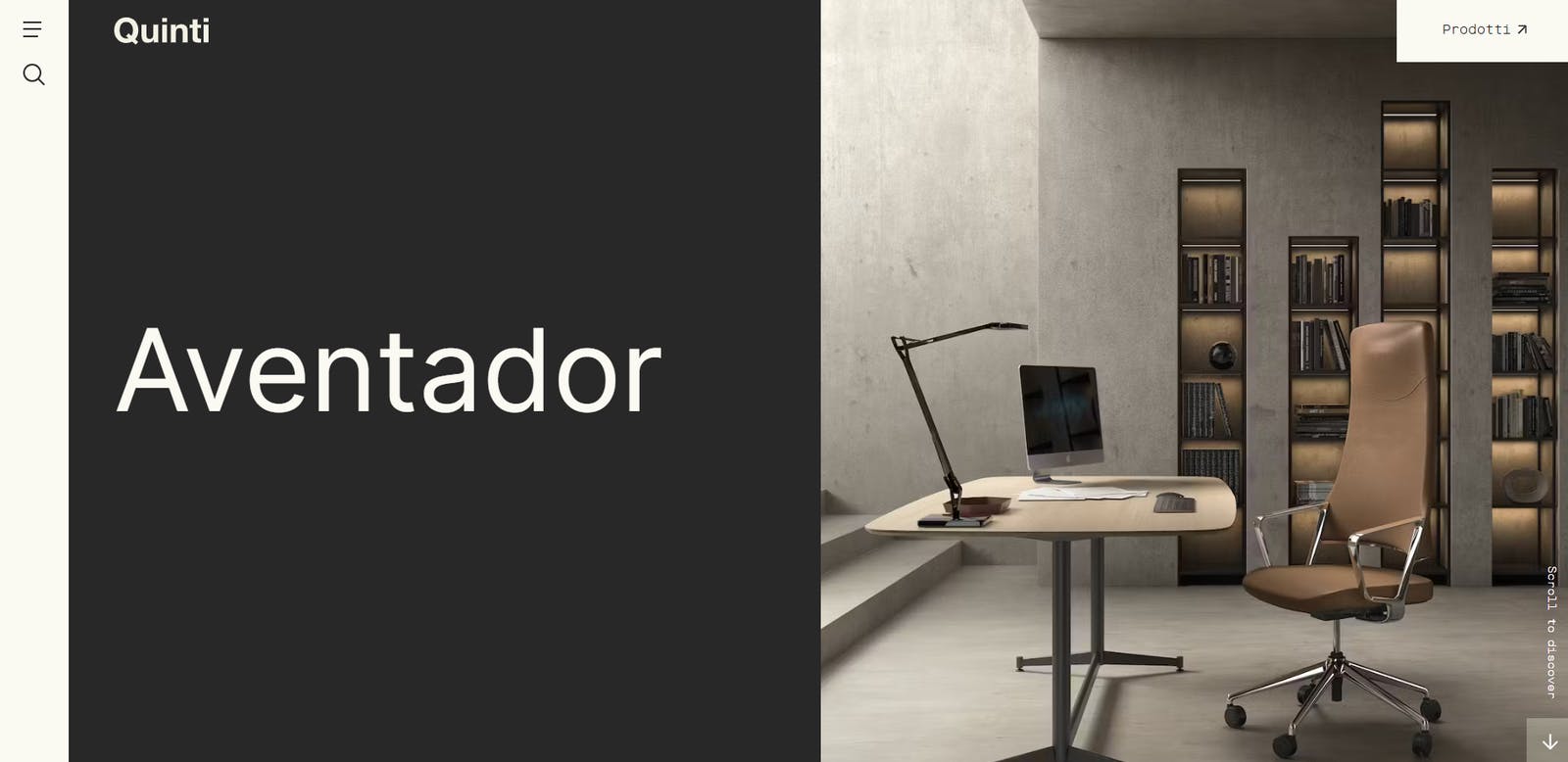
A design-driven website that showcases the product catalog of Quinti, a leader in fine Made in Italy craftsmanship built on the highest standards of quality and precision.
Learn more:
Vimer


A website that highlights the products of one of Italy’s leading suppliers of innovative packaging solutions.
Learn more:
Conclusions
In this article, you learned what a web showcase is, the advantages it can bring to your digital business and why it’s much more than a brochure website. As we’ve seen, with the right technologies and methods you can build an explorable product catalog that reflects your brand and adapts to your audience’s needs. This is a job for a digital partner with years of experience in the field, like Cantiere Creativo.
Thanks for reading! Contact us with any questions, comments or proposals.


